GPS LEADERS
Hardwired tracker
Install guide · hardwired tracker · two wires
Hardwired Tracker Install Guide
Two wires. Lights up. Reporting.
The hardwired tracker runs off the vehicle's battery and reports while the vehicle moves. It needs constant power and a solid ground: two wires. The rest stay capped.
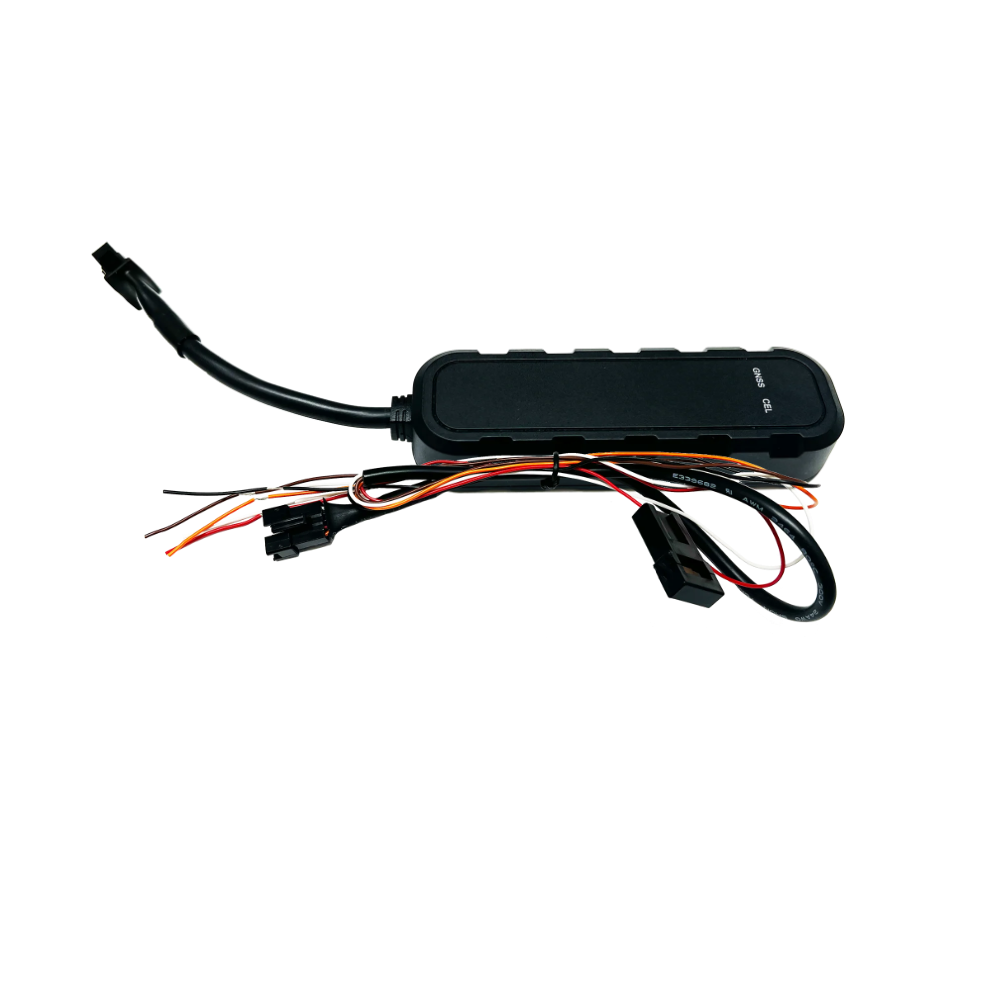
Mount the tracker
- Under the dashSecure it with a zip tie, Velcro or double-sided tape (not included).
- Lights facing upMount it flat, with the status lights facing up and no metal above it, or it cannot see the satellites.
- Keep it clearAway from direct heat and moisture. Do not kink or tightly wrap the spare cable.
Wire it
The tracker needs constant power to work properly.
| Wire | Connect to | Note |
|---|---|---|
| Red | Constant 12–32 V | Power that stays on with the key off |
| Black | Chassis ground | Use a bolt straight into the chassis |
| All others | Not used | Leave them insulated, never stripped |
Test the install
- Open the GPS Leaders dealer appSign in with your dealer login.
- Start a new installationTap Start New Installation.
- Follow the stepsThe app walks you through confirming the unit and testing it on the vehicle.
The status lights
Allow up to 5 minutes for a GPS lock.
| Light | What it means |
|---|---|
| Solid red + solid green | Good connection: cellular (red) and GPS (green) locked |
| Flashing red + flashing green | Still searching. Wait, or reposition the unit |
| Off | No power. Check the red and black connections |
Or call a GPS Veteran(855) 432-6423