GPS LEADERS
Plug-in tracker
Install guide · plug-in tracker · OBD port
Plug-in Tracker Install Guide
Plug it in. Watch two lights. Done.
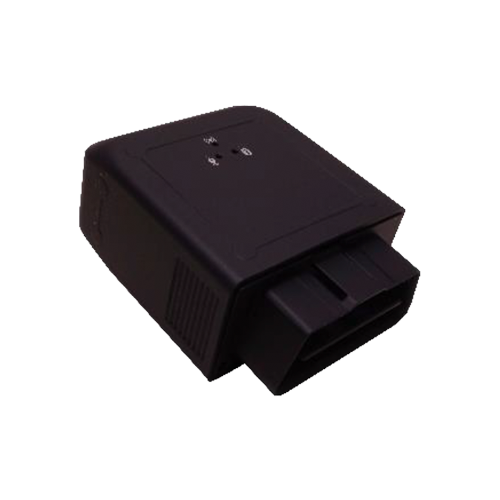
The plug-in tracker is a compact cellular unit with the OBD connector built in. Plug it into the vehicle's diagnostic port and the install is finished. These steps take a few minutes, and the two status lights tell you it is working.
Install
- Find the OBD portIt sits under the dash on the driver's side, usually near the steering column.
- Plug the tracker inPush it in firmly until it seats. No wiring and no tools are needed.
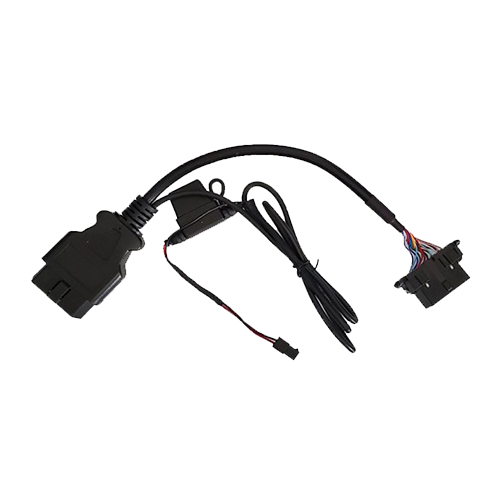
- Optional: use the Y-cableIf you want the tracker tucked away, connect the Y-cable to the vehicle's port, plug the tracker into one end, and leave the other end free for a scan tool. Mount the tracker under the dash with no metal above it, away from heat and moisture.
- Wait for the lightsGive it up to 5 minutes to find GPS. If it has not locked after a few minutes, move it and try again.
Test
- Sign inGo to gpsleaders.com/login and choose your tracking platform.
- Find the unitSearch the serial number on the dashboard.
- Confirm it is reportingThe status should read online and reporting, with a fresh location.
The status lights
| Light | What it means |
|---|---|
| Solid orange + solid green | Good connection: cellular (orange) and GPS (green) are both locked |
| Flashing orange + flashing green | Still searching. Wait, or move the unit to a clearer spot |
| Off | No power. Reseat the plug, or check the Y-cable connections |
Or call a GPS Expert(855) 432-6423
Good to know. Steps and lights may change with new hardware; the current guide is always at gpsleaders.com.