Fleet Tracking
What Is a Geofence? How Vehicle Geofence Alerts Work
A geofence is a virtual boundary on a map. Here's how geofence alerts work for vehicles, trailers and equipment, and how to set one up that's useful.

A geofence is a virtual boundary drawn around a real place on a map, like your yard, a job site or a customer's lot. When a tracked vehicle or piece of equipment crosses that boundary, the tracking system notices and can send you an alert.
Key takeaways
- A geofence is a line on a map, not a device. It works with a GPS tracker that is already on the vehicle.
- Geofence alerts tell you when something arrives at or leaves a place, so you don't have to keep checking a map.
- How quickly you hear about it depends on how often the tracker reports its location.
- The most useful geofences are few and specific: your yard after hours, a job site, a storage lot.
How does a geofence work?
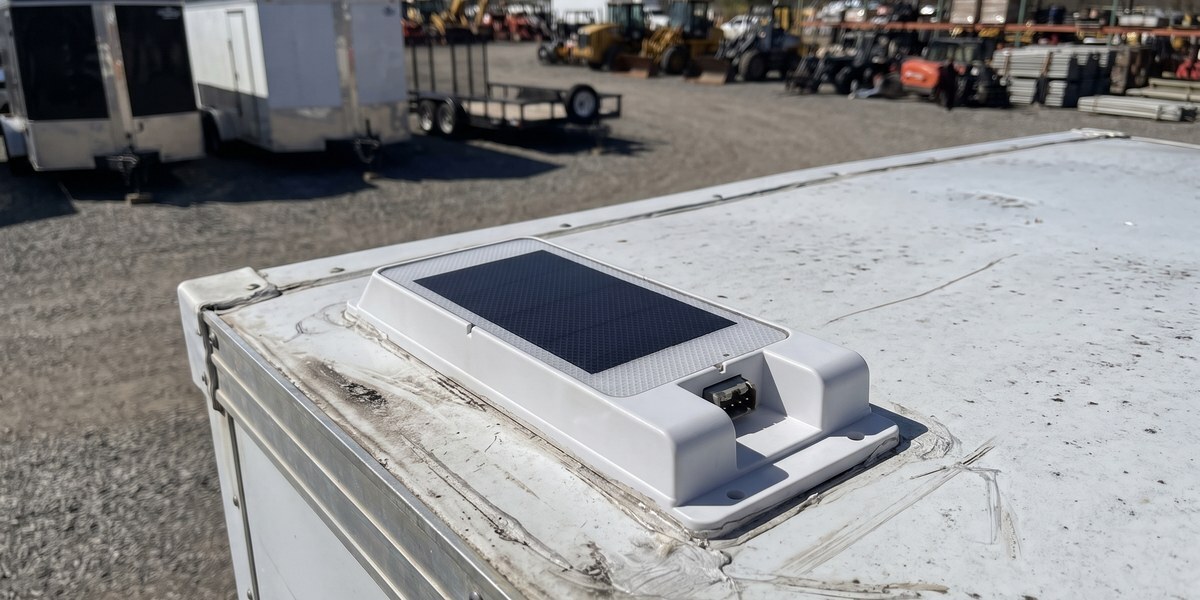
A GPS tracker on the vehicle works out its position from satellites and sends it over the cellular network every so often. The tracking system compares each new position with the boundaries you've drawn.
If the last position was inside a geofence and the new one is outside, that's an exit. If it was outside and is now inside, that's an entry. Either one can trigger an alert.
Because the check happens each time the tracker reports, a tracker that reports every few seconds catches a boundary crossing almost as it happens. A battery tracker that checks in a few times a day may only tell you hours later. That trade-off between reporting speed and battery life matters more than the geofence itself.
What are geofence alerts?
A geofence alert is the message you get when a tracked vehicle crosses a boundary. Common ones:
- Left the yard after hours. A truck or trailer moves at night or on a weekend, when nothing should be going anywhere.
- Arrived at a job site. Useful for confirming that a crew showed up, without a phone call.
- Left an approved area. A rental car or a financed car leaves the area it is supposed to stay in.
- Entered a place it shouldn't be. For example, a company truck at a location it has no reason to visit.
Most systems let you choose which vehicles a geofence applies to and when the alert is active, so a truck leaving the yard at 7 a.m. on a Monday doesn't wake anyone up.
How to set up a geofence that's useful
- Start with the place that costs you the most if something goes wrong. For most fleets that's the yard or storage lot overnight.
- Draw the boundary a little bigger than the property. GPS positions can drift by a few meters, and a boundary drawn tight to the fence line can send false alerts.
- Set the hours. An after-hours geofence alert is worth far more than one that fires every time a truck goes out on a normal day.
- Pick who gets the alert. Send it to the person who can act on it, not to everyone.
- Keep the list short. A handful of geofences that matter beats dozens nobody reads.
Geofence uses by business type
- Fleets and trades: after-hours yard alerts, job site arrivals, and spotting vehicles where they shouldn't be. See fleet GPS tracking .
- Equipment and trailers: a trailer or machine that sits for weeks can alert you the moment it moves. See construction and equipment tracking and our trailer tracking device guide .
- Rental companies: know when a car leaves the area it is allowed in. See rental car tracking .
What GPS Leaders trackers do with geofences
With our fleet trackers you can draw a zone around a customer's site, your yard or the supply house and get job-site alerts, plus alerts for ignition or movement outside work hours. They report every minute, plus every turn, so a boundary crossing shows up quickly. Every setup is different, so talk to a GPS Veteran about where geofences would help you most.
Geofence FAQ
What does geofence mean?
It means a virtual fence: a boundary on a map that a tracking system watches. Nothing is installed at the location itself.
Do I need special equipment for a geofence?
You need a GPS tracker on the vehicle or asset. The geofence itself is set up in the tracking system, not on the vehicle.
How accurate is a geofence?
It is as accurate as the GPS position and as fast as the tracker's reporting schedule. Draw boundaries with a little room to spare and check how often your tracker reports.
Can a geofence stop a vehicle?
No. A geofence only tells you that a vehicle crossed a boundary. What happens next is up to you.
How many geofences should I set up?
Start with one or two for the places that matter most, usually your yard after hours, and add more only if you act on the alerts.